

Embed your Instagram feed on any website.
Paste two lines of code and your latest posts and Reels appear on your site, in a layout that fits it. Connect any public Instagram profile by its handle. No Instagram login, no Facebook page and no tokens to renew.
Free forever for one profile. Paid plans from $9.99 a month, with a 7-day free trial.

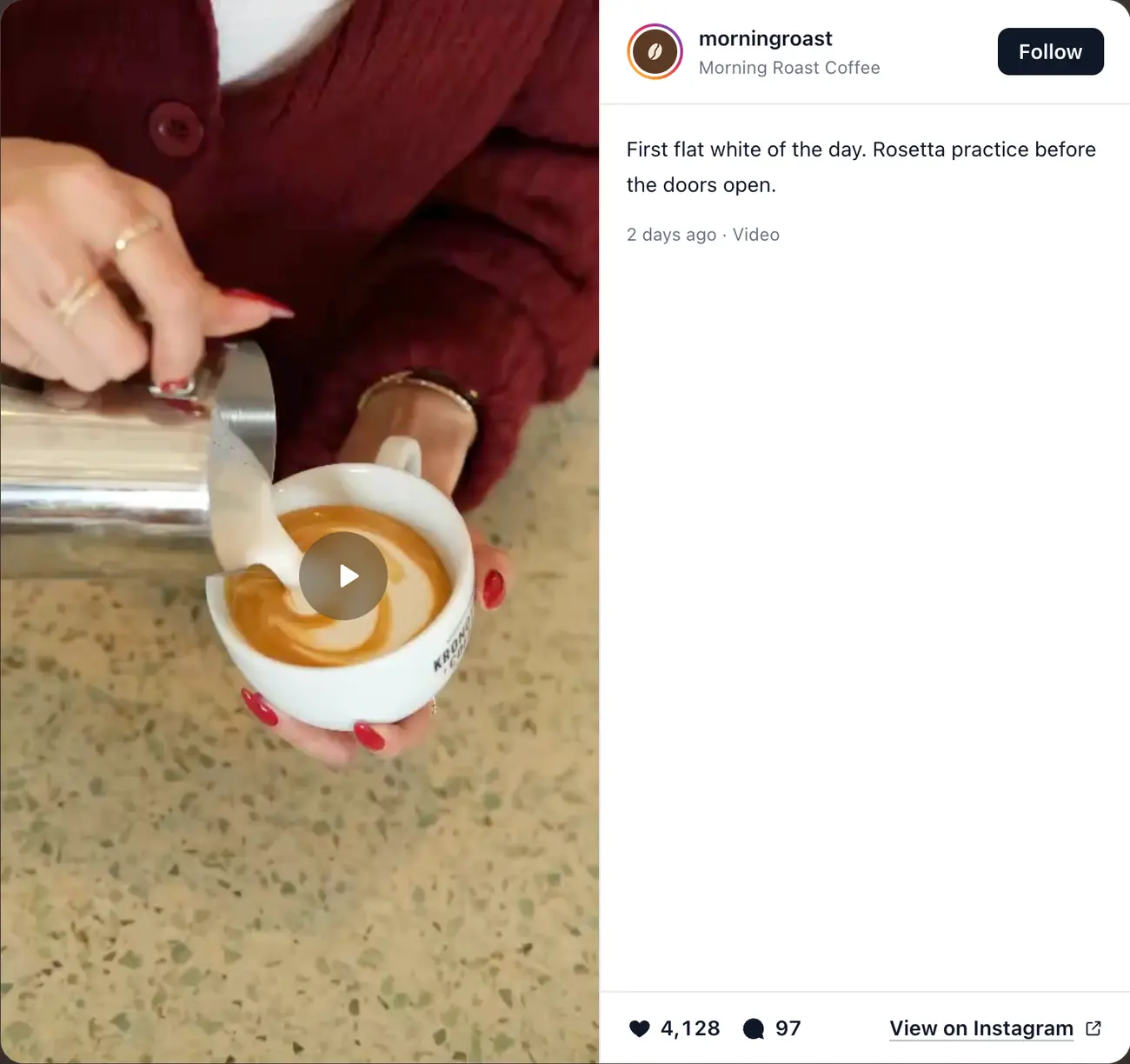
- Any public profileYours or a client’s. Paste the @handle or profile URL.
- No Instagram loginNo Meta app, Facebook page or access tokens to renew.
- Keeps itself freshNew posts appear on your site without touching it.
- Works on any websiteWordPress, Shopify, Squarespace, Webflow, Framer or HTML.
Website embed
Two lines of code. Any website.
The builder gives you a short HTML snippet. Paste it where the feed should go and it loads there, on any page of any site. The feed draws itself in its own Shadow DOM, so your theme’s CSS can’t break it and it can’t break your theme.
One snippet
A div and an async script. Nothing to install.
Isolated styles
Your CSS stays out of the feed, and the feed out of your page.
Loads when it’s needed
The script is async and the feed renders as it nears the screen.
Your domains only
Each embed runs on the websites you approve. Copies elsewhere stay blank.

Layouts
Eight Instagram feed layouts. Style every detail.
Set the columns, gap, corners, post shape, hover effect and colours, and preview each layout with your own posts before you publish. Free includes Grid; paid plans include all eight.

Grid
FreeEven rows of posts. The classic for homepages, cafés and shops.

Gallery wall
PaidPortrait, square and Reel posts keep their real shapes, packed into columns.

Carousel
PaidA swipeable row with arrows, for narrow sections and phones.
Marquee
PaidThe carousel on a slow, endless scroll that pauses on hover. Made for footers.

Rainbow
PaidFanned cards that glide to the centre, one post in focus.
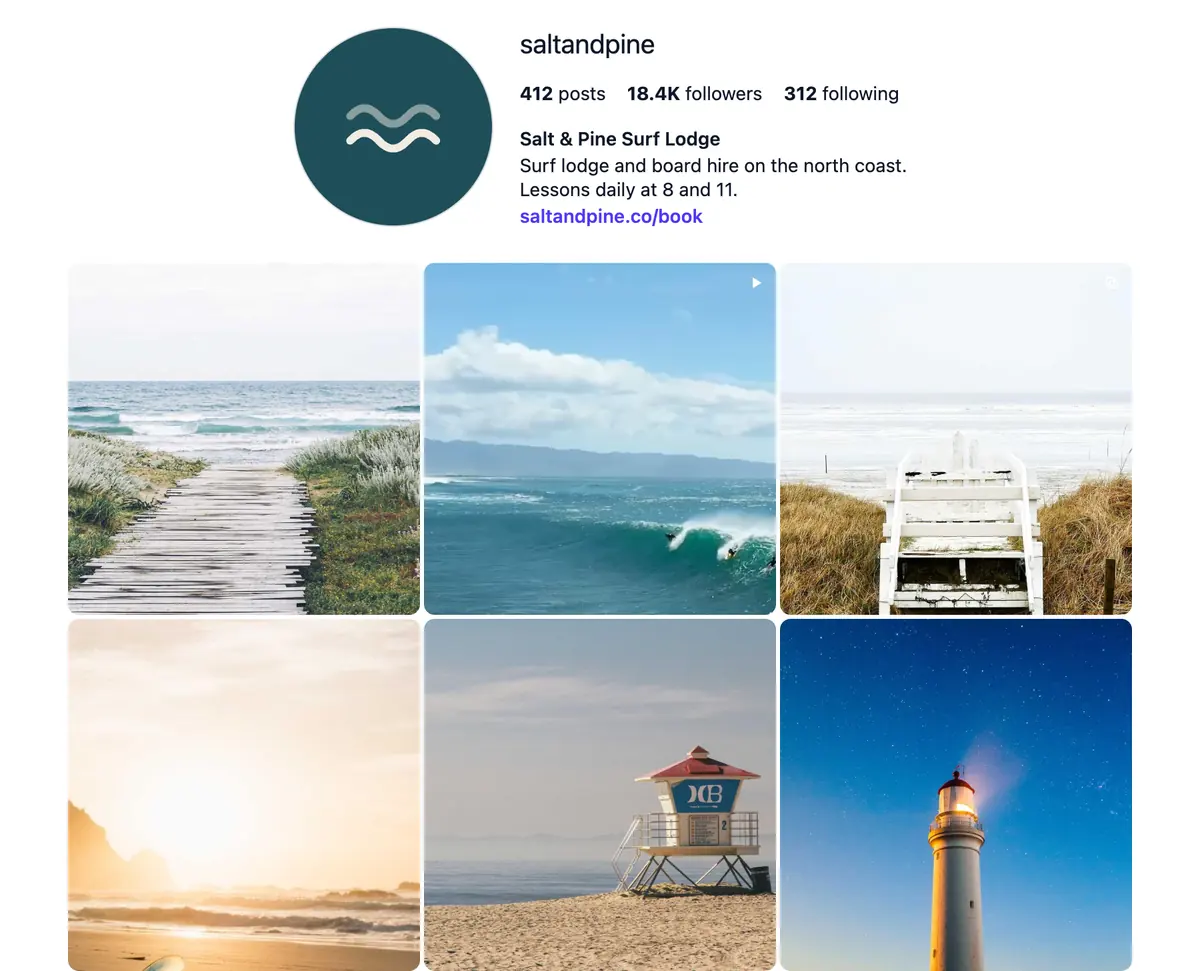
Profile
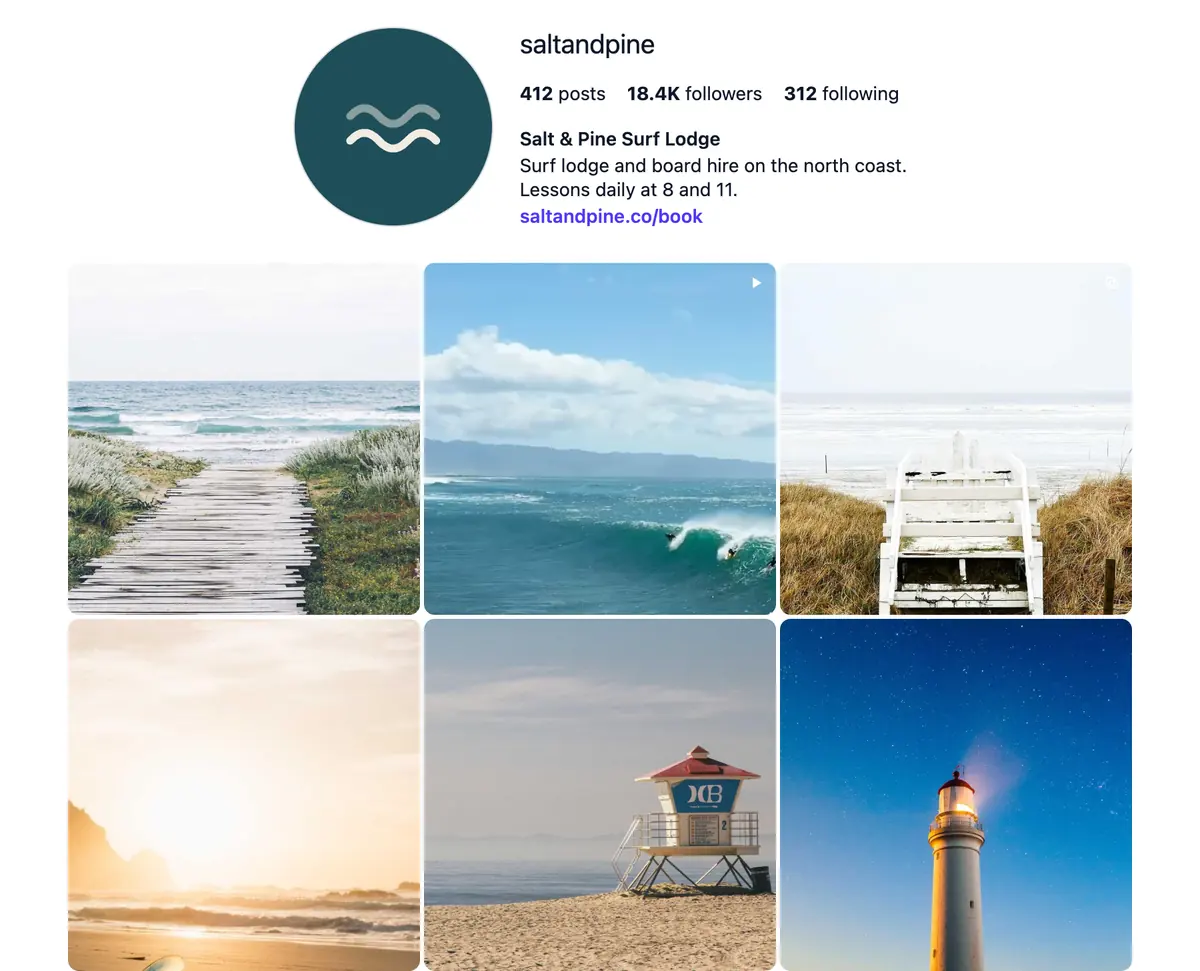
PaidAn Instagram-style header with your bio and counts above the grid.
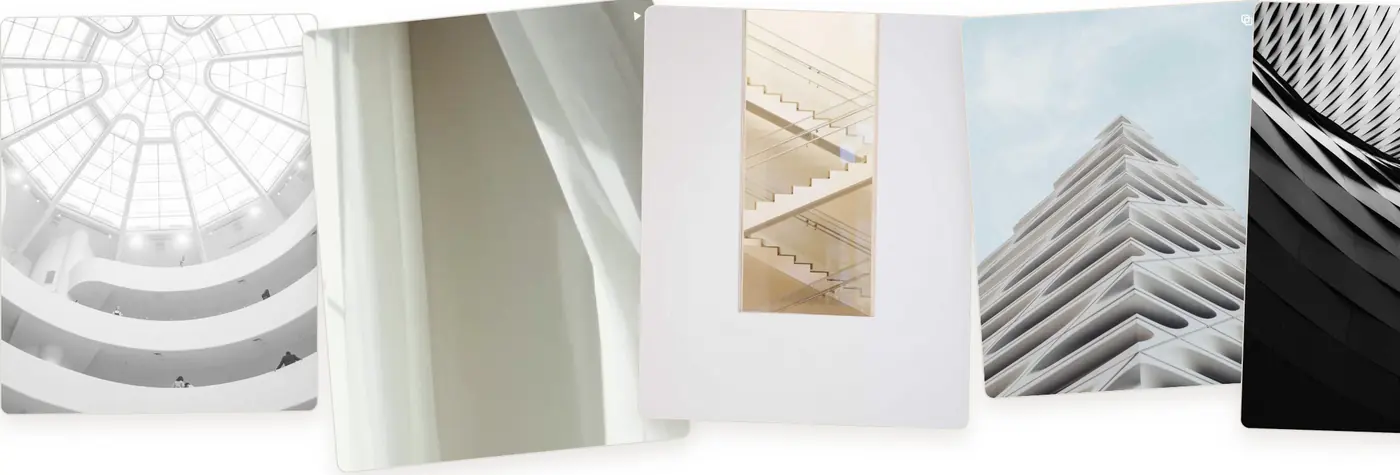
Scrapbook
PaidAngled, overlapping cards on a slow strip, for creative brands.
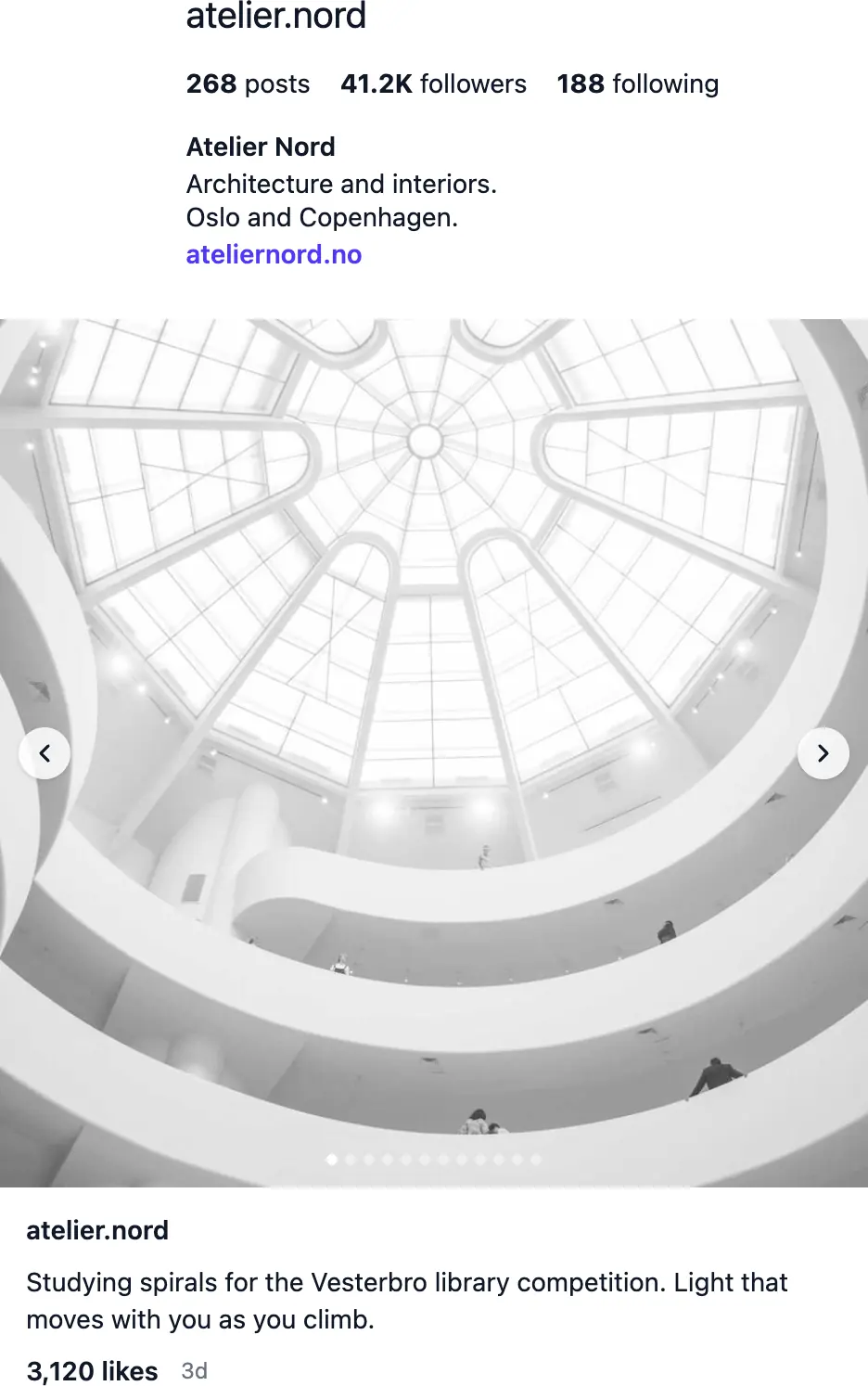
Slider
PaidOne post at a time with its caption and likes, like the Instagram app.
Try every layout in the live demo, no sign-up needed.
Popup
Every post opens on your site.
Click a post and it opens in a popup on your page, with its caption, date, likes and comments and a link to Instagram. Step through the feed with the arrows. Visitors see your posts without leaving your site.
Stays on your page
Or send clicks straight to Instagram instead.
Videos and Reels play
On paid plans, in the feed and the popup.
Tinted to the photo
The backdrop takes its colour from the post.
Light, dark or auto
Match the popup to your site’s theme. Paid plans.
Best forKeeping visitors on your site
Responsive
Fits the column it’s in, on every screen.
The feed measures the space you give it, not the window. Four columns on a desktop step down to three on a tablet and two on a phone, and the same embed fits a narrow sidebar on a wide screen. It holds its space while it loads, so the page doesn’t jump.
Container-aware
Columns follow the feed’s width, wherever it sits.
Built for phones
Swipe carousels and full-screen popups on small screens.
Your column count
Set the most columns; it never shows more than fit.
No layout jump
A placeholder keeps the feed’s space until it’s ready.
Best forSites people mostly visit on their phones


Curation and refresh
New posts appear on their own. You choose what stays.
Post to Instagram as usual and your website catches up by itself: daily on paid plans, monthly on Free. Hide a post you’d rather not show, or pin one to the start. Nothing to republish.
Updates itself
New posts arrive without editing your site.
Pin posts
Keep your best post first. Paid plans.
Hide posts
Take one out of the feed, put it back later. Paid plans.
Preview before you publish
See every change in the builder first.
Best forBusinesses that post every week
Set-up
How to add an Instagram feed to your website
It takes a few minutes and no developer. For a longer walkthrough, read how to add an Instagram feed to your website.
- 1. Create a free accountEnter your email and the 4-digit code we send. No card needed.
- 2. Connect a public Instagram profilePaste its @handle or profile URL. It can be yours or a client’s.
- 3. Pick a layout and style itPreview it with your posts, then add the domain of the website it goes on.
- 4. Paste the code into your siteCopy the two lines and paste them where the feed should appear.
Where to paste it on your platform
- WordPress
- Add a Custom HTML block where the feed should go and paste the code. In the Classic Editor, paste it in the Text tab.
- Shopify
- In Online Store › Themes › Customize, add a Custom Liquid section to the page and paste the code.
- Squarespace
- Add a Code block and paste the code. Scripts in Code blocks need a Squarespace plan that allows custom code.
- Webflow
- Drag an Embed element onto the page and paste the code. The feed shows on your published site.
- Framer
- Use the Instagram Feed plugin for Framer instead: it adds the feed to the canvas with no code. One account covers both.
- HTML, React and Next.js
- Paste both lines into your HTML. In React, render the div where the feed goes and load the script once, for example in your layout; feeds added later are found on their own.
Compared
RevuKit, Instagram’s embed code or an API plugin?
Instagram’s own embed shows one post at a time. Plugins built on Instagram’s API need the account’s owner to log in. RevuKit shows the whole feed from a public profile. More in plugin vs embed vs custom build.
| Feature | RevuKit Instagram Feed | Instagram embed code | API-based plugins |
|---|---|---|---|
| Shows a whole feed | Yes, in eight layouts | One post per embed | Yes |
| Updates when you post | Yes | No, you add each post | Yes |
| Instagram login needed | No, any public profile | No | Yes, and access is renewed |
| Show a client’s profile | Paste their handle | Post by post | They must log in for you |
| Styled to your site | Columns, colours, corners, hover | Instagram’s own card | Depends on the plugin |
| Posts open on your site | Popup with arrows | Opens Instagram | Depends on the plugin |
Pricing
A free Instagram feed for your website. Upgrade when you need more.
Free needs no card and doesn’t expire. Paid plans start with a 7-day free trial and cancel anytime. A view is one load of your feed on your published site. Prices in USD. Compare plans

Free
$0forever
- 1 Instagram profile
- 6 latest posts, refreshed monthly
- 250 views a month
- Grid layout on one website
- Small RevuKit badge
Starter
Popular$9.99a month
- 1 Instagram profile
- 18 posts and videos, refreshed daily
- 10,000 views a month
- All eight layouts, hide and pin
- No RevuKit branding
Growth
$19.99a month
- 3 Instagram profiles
- 18 posts and videos, refreshed daily
- 50,000 views a month
- All eight layouts, hide and pin
- No RevuKit branding
Pro
$49.99a month
- 10 Instagram profiles
- 18 posts and videos, refreshed daily
- 200,000 views a month
- All eight layouts, hide and pin
- No RevuKit branding
Good to know
Instagram feed widget questions
- How do I embed my Instagram feed on my website?
- Create a free RevuKit account, connect your Instagram profile by its handle, pick a layout and add your website’s domain. Then copy the two lines of code and paste them where the feed should appear: a Custom HTML block on WordPress, a Custom Liquid section on Shopify, a Code block on Squarespace or an Embed element on Webflow.
- Is there a free Instagram feed widget?
- Yes. The Free plan covers one Instagram profile with its 6 latest posts in the Grid layout on one website, refreshed once a month, with 250 views a month and a small RevuKit badge. No card needed, and it doesn’t expire.
- Do I need to log in to Instagram or have a Facebook page?
- No. RevuKit only needs a public Instagram profile. You connect it by its @handle or profile URL, so there is no Instagram login, Meta developer app, Facebook page or access token to renew. Private profiles are not supported.
- Can I show a client’s Instagram feed?
- Yes. Any public profile works, so you can add a client’s feed to their site without asking for their Instagram password. Growth and Pro plans connect several profiles from one account.
- Does it work with WordPress, Shopify, Squarespace and Webflow?
- Yes. The embed is plain HTML and works on any site where you can add custom code, including WordPress, Shopify, Squarespace, Webflow, Ghost and hand-coded sites. In React or Next.js, render the div and load the script once. On Framer, use the Instagram Feed plugin instead.
- How often does the feed update?
- New posts appear on your site by themselves: about once a day on paid plans and once a month on Free. You never need to republish your site or paste new code.
- Does it show Reels and videos?
- Yes. On paid plans videos and Reels play in the feed and the popup. On Free they show their cover image. Paid plans show up to 18 posts in each feed.
- Will an Instagram feed slow down my website?
- The script loads asynchronously, so it never blocks your page, and the feed renders as it comes near the screen. A placeholder holds its space while it loads, so the page doesn’t jump. It draws in its own Shadow DOM, so it doesn’t add styles to your site.
- Can I choose which posts are shown?
- Yes, on paid plans. Hide any post you’d rather not show and pin your best ones to the start. Your choices stay as new posts arrive.
- Does it still work after Meta ended the Instagram Basic Display API?
- Yes. Meta retired the Instagram Basic Display API on 4 December 2024, which broke many older feed widgets. RevuKit doesn’t use it: it reads the public profile you connect, so there is nothing to migrate.
- What counts as a view?
- Each time your feed loads on your published website. Previewing it in the builder doesn’t count. If a month’s views run out, the feed pauses until they reset on the 1st, and we email you before that happens.
- Is this the same product as the Framer plugin?
- Yes. One RevuKit Instagram Feed account covers the website embed and the Framer plugin, with the same profiles, plan and monthly views.
Guides
Read more about Instagram feeds
- How to add an Instagram feed to your website
- Best Instagram feed plugin: a 12-point scorecard
- Instagram feed plugin vs native embed vs custom build
- Instagram feeds for restaurant websites
- Add an Instagram feed to Framer
- Instagram feed layouts compared
- Instagram Feed on the Framer Marketplace
- Google review widgets from RevuKit
Your Instagram, on your website, in a few minutes.
Connect a public profile, pick a layout and paste two lines of code. Free for one profile, no card needed.