
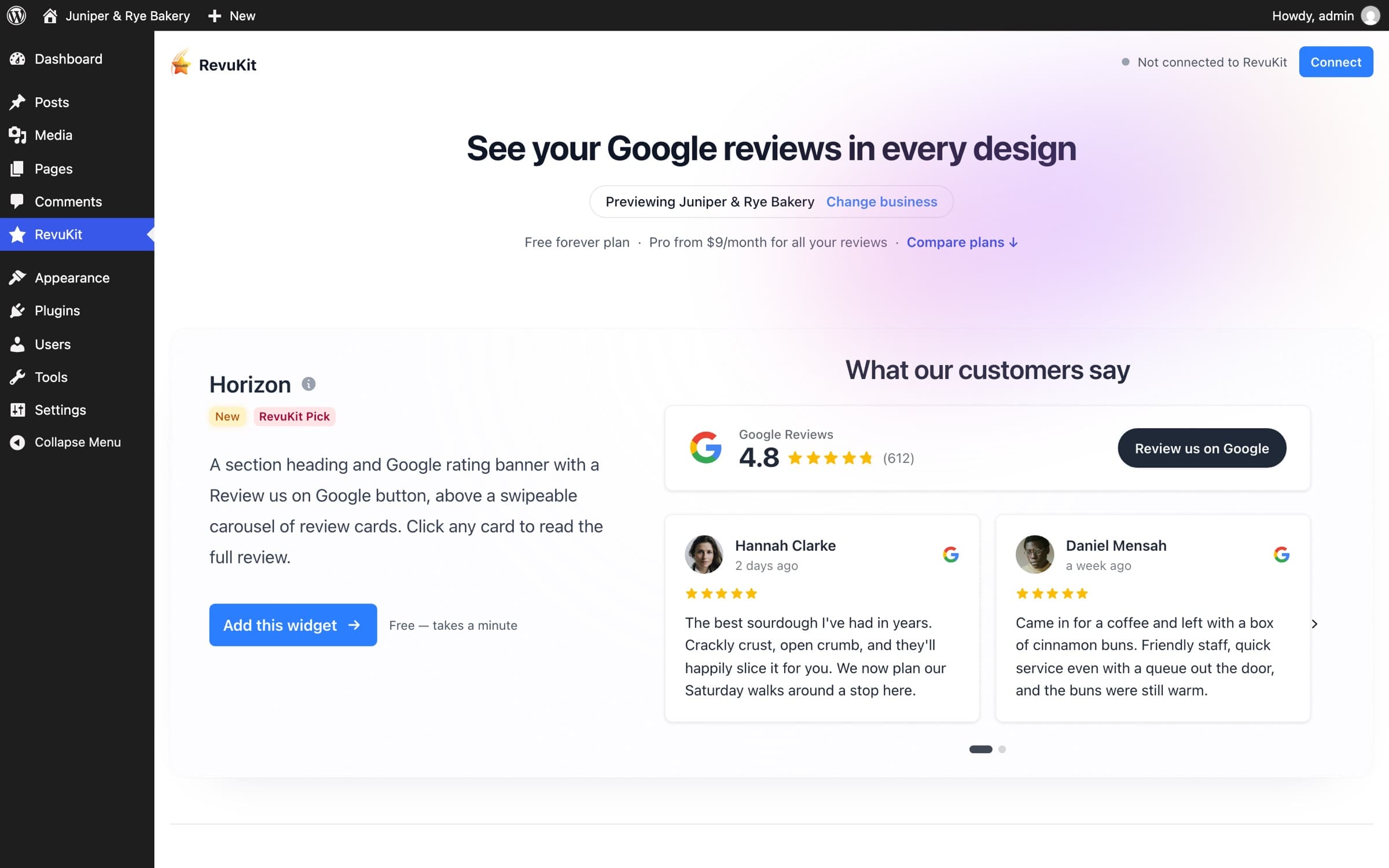
How it works
Everything happens in wp-admin
- 1
Install the plugin
From WordPress.org, or search “RevuKit” under Plugins → Add New Plugin.
- 2
Find your business
Every design fills with your real rating and reviews. No account needed to look.
- 3
Pick and style a design
Choose a theme or your own colours, corners and shadow, and where it sits.
- 4
Connect and publish
Connect a free RevuKit account, then paste the shortcode or show it on every page.
On your site
Looks like part of your site
Each design has its own layout, type and motion, and lays out by the space it is given: a sidebar, a column or the full width. Here a carousel sits under the page’s hero and a Pulse badge floats in the corner.

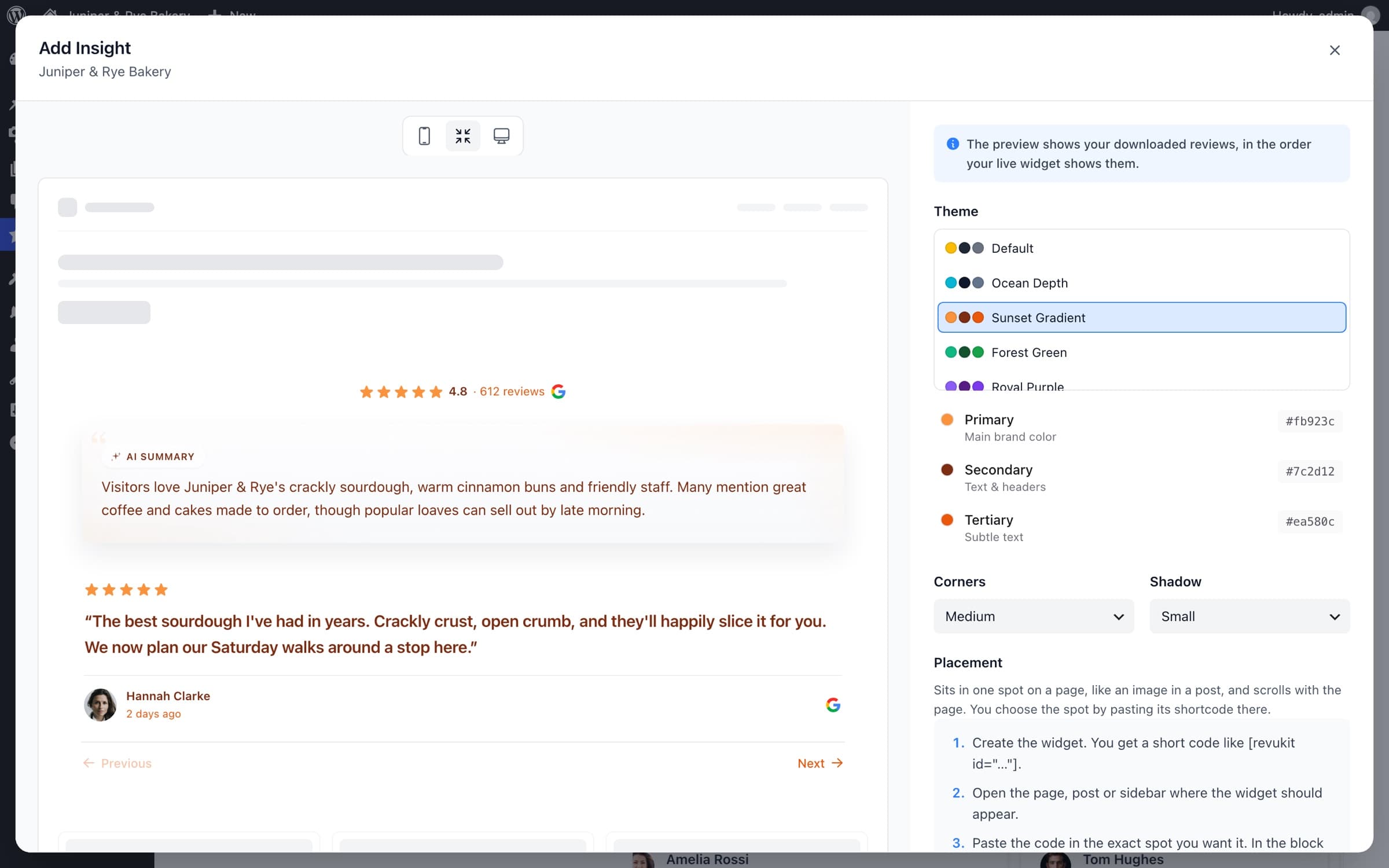
Style
Match your colours in a few clicks
Pick one of the themes or set your own colours, corners and shadow, and every design follows. Check the preview at phone, standard and desktop sizes before you publish.
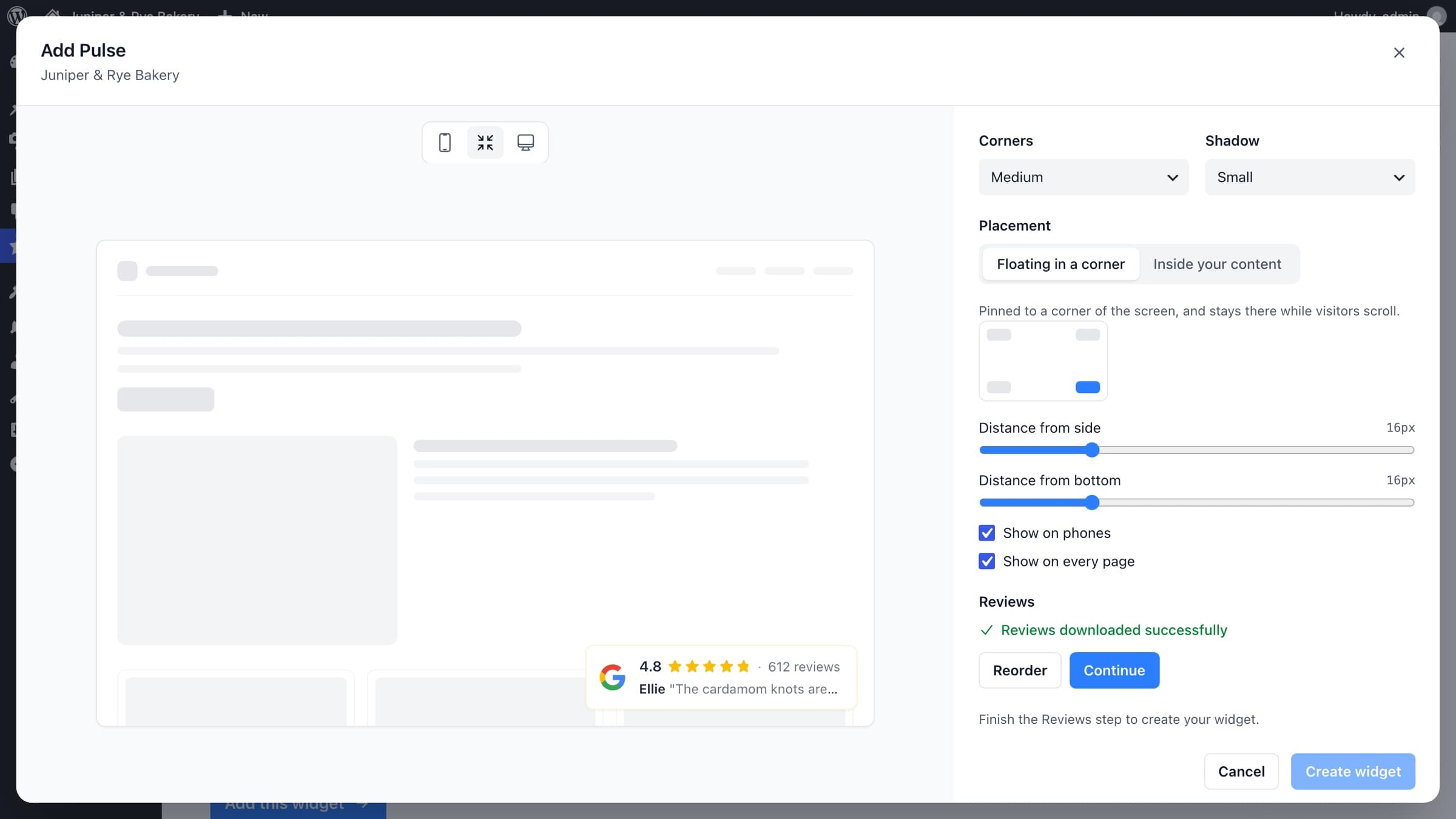
Placement
Float a badge on every page
Compact designs can sit in a corner of the screen and stay there while visitors scroll. Choose the corner, the distance from the edges and whether it shows on phones. Show it on every page and no shortcode is needed.
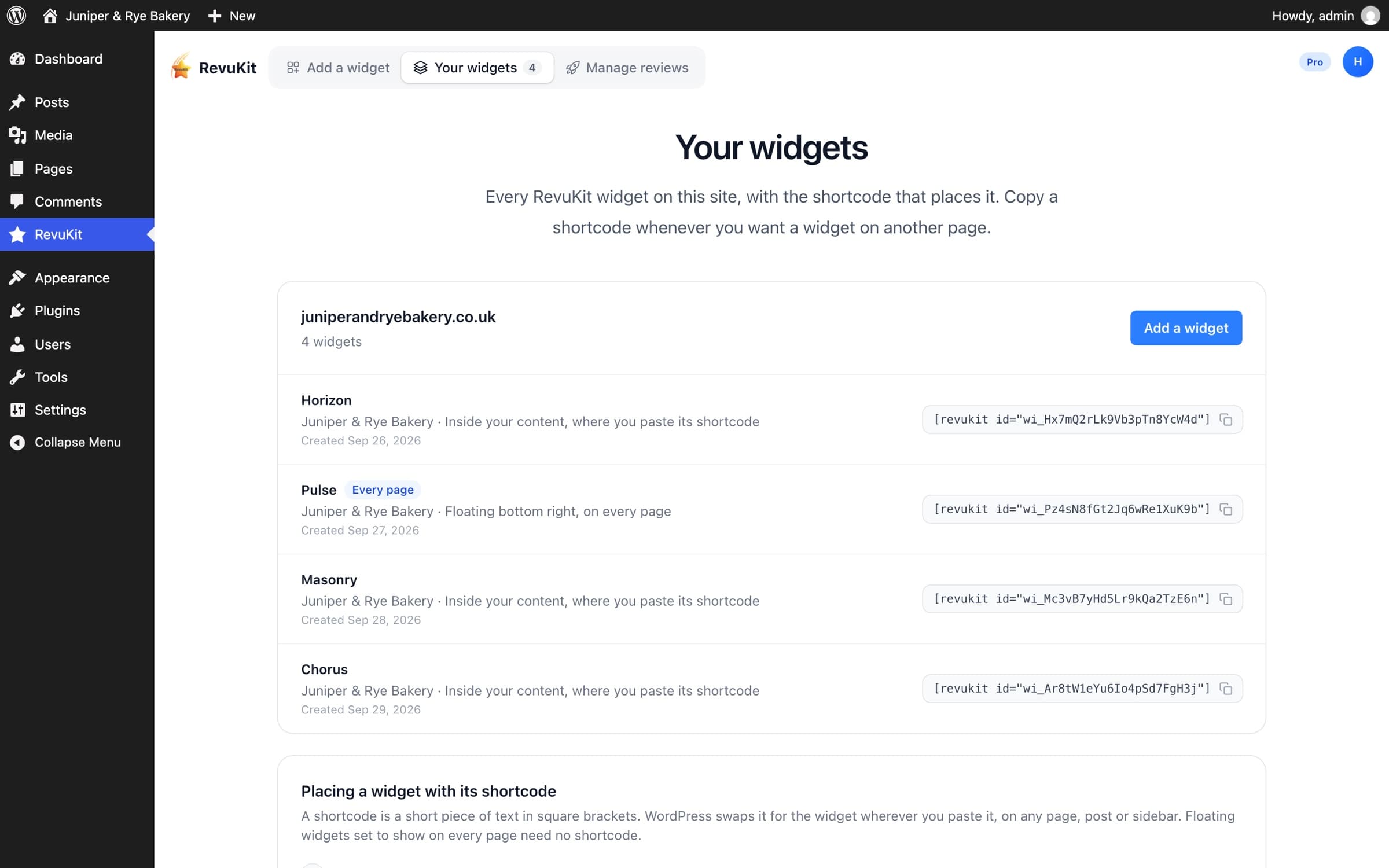
Shortcodes
Every widget and shortcode in one place
Your widgets lists each widget on the site with its placement and its shortcode, ready to copy into any page, post or sidebar.
Paid plans
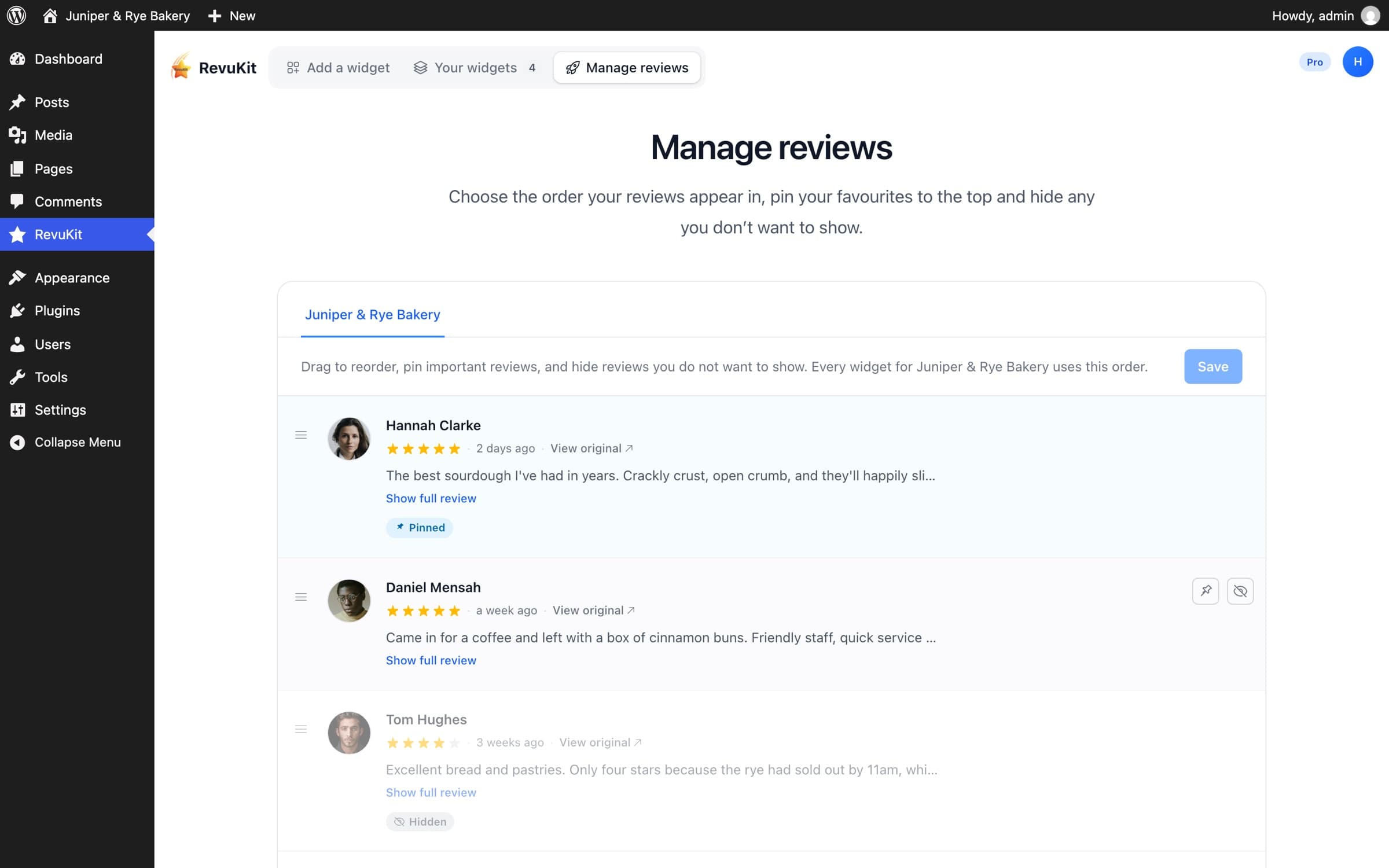
Choose which reviews show
Drag reviews into the order you want, pin your favourites to the top and hide the ones you would rather not show. Every widget for that business follows.
Designs
15 designs, from a quiet badge to a full review wall
Interactive designs fill a section of a page. Compact ones fit a header, a footer or a corner of the screen. Every design works on every plan.
Interactive · 10
Compact · 5
Horizon
Rating banner above a swipeable carousel of review cards. · 22 KB compressed
Sample reviews. In the plugin, every design previews with your own Google reviews. Try it with yours
Why RevuKit
Built for WordPress sites that care how they look
- No Google API key
- RevuKit collects your reviews and keeps them up to date. Your WordPress server never contacts Google, and there is nothing to set up in Google Cloud.
- Light by design
- Each design is one 20–30 KB script that ships with the plugin, loads only on pages that show it, and sets no cookies.
- Fits wherever you put it
- Widgets lay out by the space they are given, so the same widget works in a sidebar, a column or full width.
- No branding on your site
- Widgets added through the plugin never show a RevuKit credit or link, on any plan.
- Your reviews, your order
- On paid plans, reorder, pin and hide reviews once, and every widget for that business follows.
- An AI summary of your reviews
- The Insight design opens with a short AI summary of what customers say, above a carousel of their reviews (paid plans).
Works with your editor
Paste a widget’s shortcode into a Shortcode block or element. Floating widgets shown on every page need no shortcode at all.
- Block editor (Gutenberg)
- Elementor
- Divi
- Classic Editor
Pricing
Free to start, every design included
The plugin is free. Plans differ in how many reviews show, monthly views and businesses.
Free
$0/month
- All widgets
- 5 most recent reviews
- 250 views / month
Pro
$9/month
- All widgets
- Many reviews
- 50,000 views / month
- Reorder / hide / pin reviews
Enterprise
$30/month
- Everything in Pro
- Unlimited views
Prefer not to install a plugin?
You can paste RevuKit’s embed code into a Custom HTML block instead. The setup guide covers both routes, step by step.
Questions about the WordPress plugin
- Is the RevuKit WordPress plugin free?
- Yes. The plugin is free on WordPress.org, and so is the RevuKit Free plan, which shows your most recent Google reviews up to a monthly view limit. Paid plans start at $9 a month and show many more reviews, with more views and more businesses. Every design works on every plan.
- Do I need a Google API key?
- No. RevuKit collects your Google reviews and keeps them up to date. Your WordPress server never contacts Google, and there is nothing to set up in Google Cloud.
- Do I need a RevuKit account?
- Only to publish a widget, and the account is free. You can search for your business and preview every design with your own reviews without one.
- Does it work with Elementor, Divi and the block editor?
- Yes. Each widget has a shortcode like [revukit id="…"]. Paste it into a Shortcode block in the block editor, the Shortcode element in Elementor or Divi, or the Classic Editor. Floating widgets set to show on every page need no shortcode.
- Will it slow down my site?
- Each design is one small script (20–30 KB compressed) that ships with the plugin, loads after the page and only on pages that show a widget. It sets no cookies.
- Does the plugin add a RevuKit link or credit to my site?
- No. Widgets added through the plugin never show a RevuKit credit or link, on any plan.
- Should I use the plugin or the embed code?
- The plugin is the easier route on WordPress: you preview and create widgets in wp-admin, place them with shortcodes and can float a badge on every page. If you would rather not install a plugin, you can paste RevuKit’s embed code into a Custom HTML block instead.
Add your Google reviews to WordPress
Install the plugin, search for your business and see every design with your own reviews. It takes a minute, and you don’t need an account to look.