


July 2, 2026
Google Review Widget: Add Google Reviews to Your Website (2026)
Add Google reviews to your website with a free Google review widget, platform setup paths, placement tips, and SEO-safe implementation guidance.

Tutorial
Embed Google reviews on Wix in minutes with better placement, stronger trust signals, and a design that fits your site.
Video Tutorial
Watch the full walkthrough — connect your business, pick a widget, paste the embed code, and publish. Works with Wix Editor, Editor X, and Wix Studio.
Display your Google reviews on your Wix website with beautiful widgets that automatically match your site's design. This updated 2026 guide shows you exactly how to embed Google reviews on Wix in under 5 minutes with no coding experience required. If you want the fastest path, start in free Wix widget builder.
Quick Answer:
You can embed Google reviews on Wix in two ways:
Both methods allow you to sync reviews automatically using RevuKit—no manual updates needed.
Want the quickest setup? Start from Open the Wix widget builder and follow the guided flow.
Whether you run a local restaurant, salon, law firm, or any service business, showing your Google reviews on your Wix site builds instant credibility. 88% of consumers trust online reviews as much as personal recommendations, making review widgets one of the most effective trust-building tools for Wix websites.
Before we dive into the installation steps, here's why displaying Google reviews on Wix is essential for your business:
Before embedding Google reviews on your Wix website, make sure you have:
Note: For reliable embeds and site-wide placement using Custom Code, use a Wix Premium plan with a connected domain. Free-plan embed availability can vary by Wix editor and account setup.
This is the easiest way to add Google reviews to your Wix site. Perfect for displaying reviews on specific pages like your homepage, about page, or contact page. On Wix free plans, embed availability can vary by editor.
First, create your customized Google review widget:
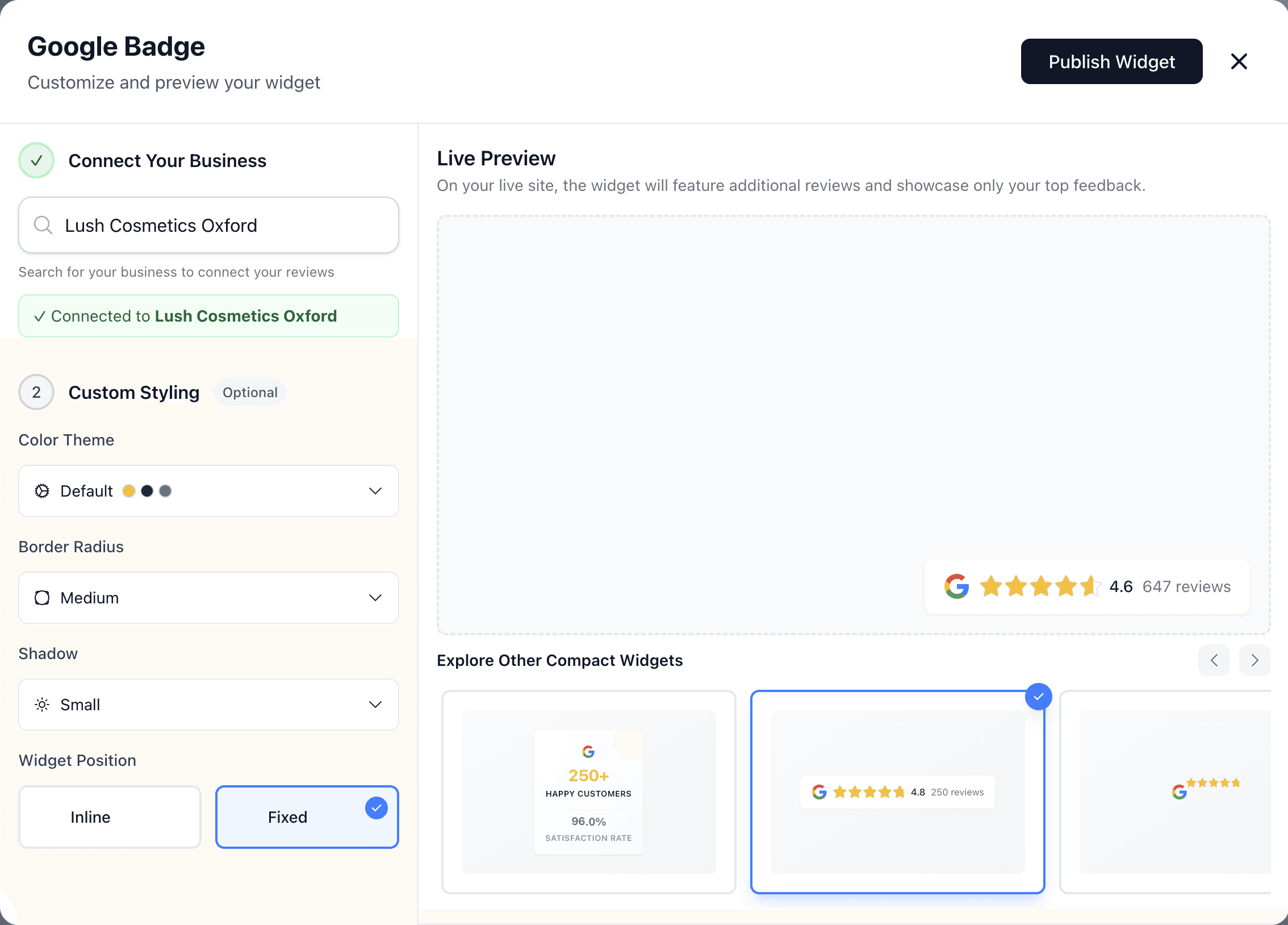
Link your business to display your actual Google reviews:
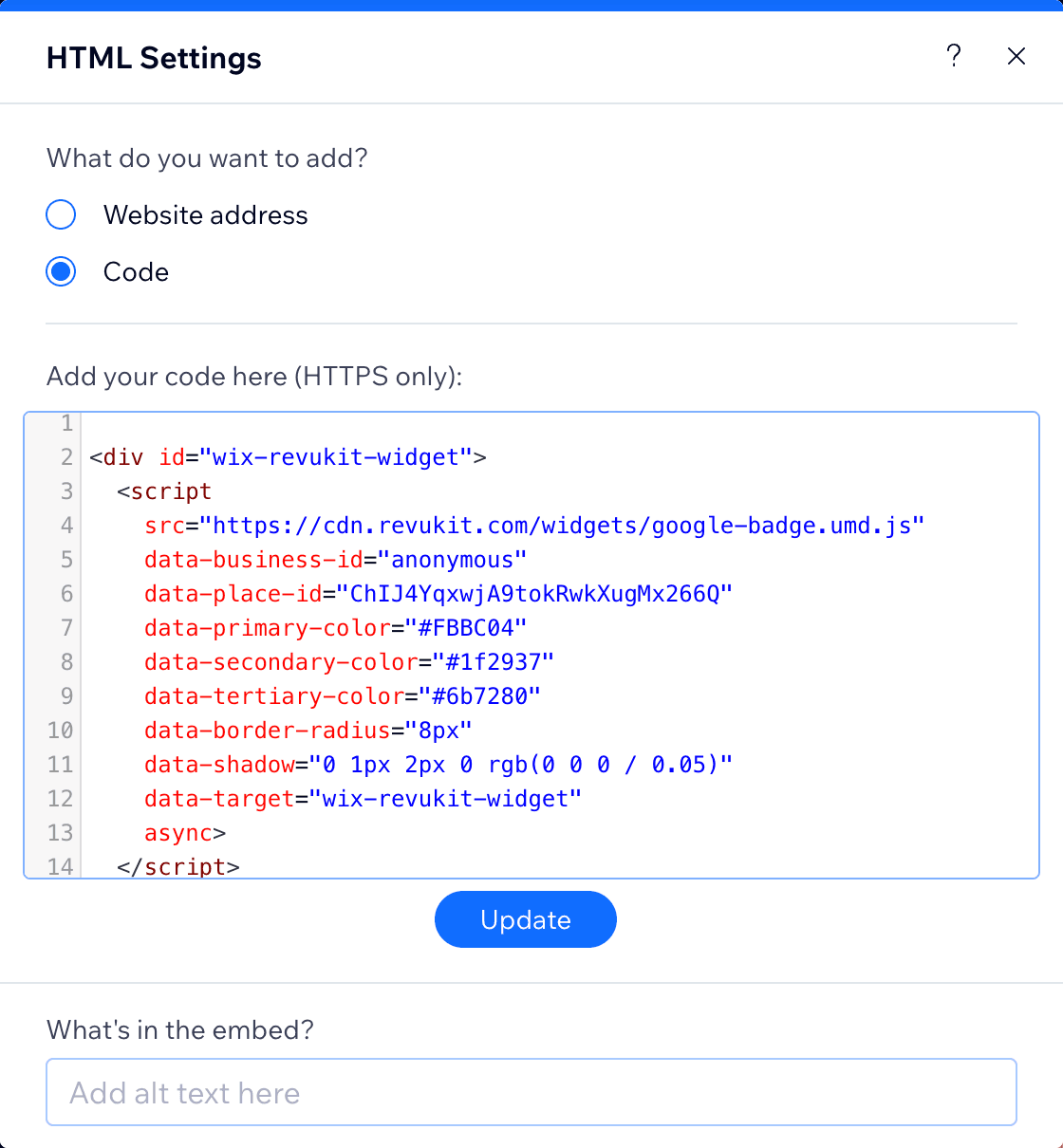
Get your personalized widget code:
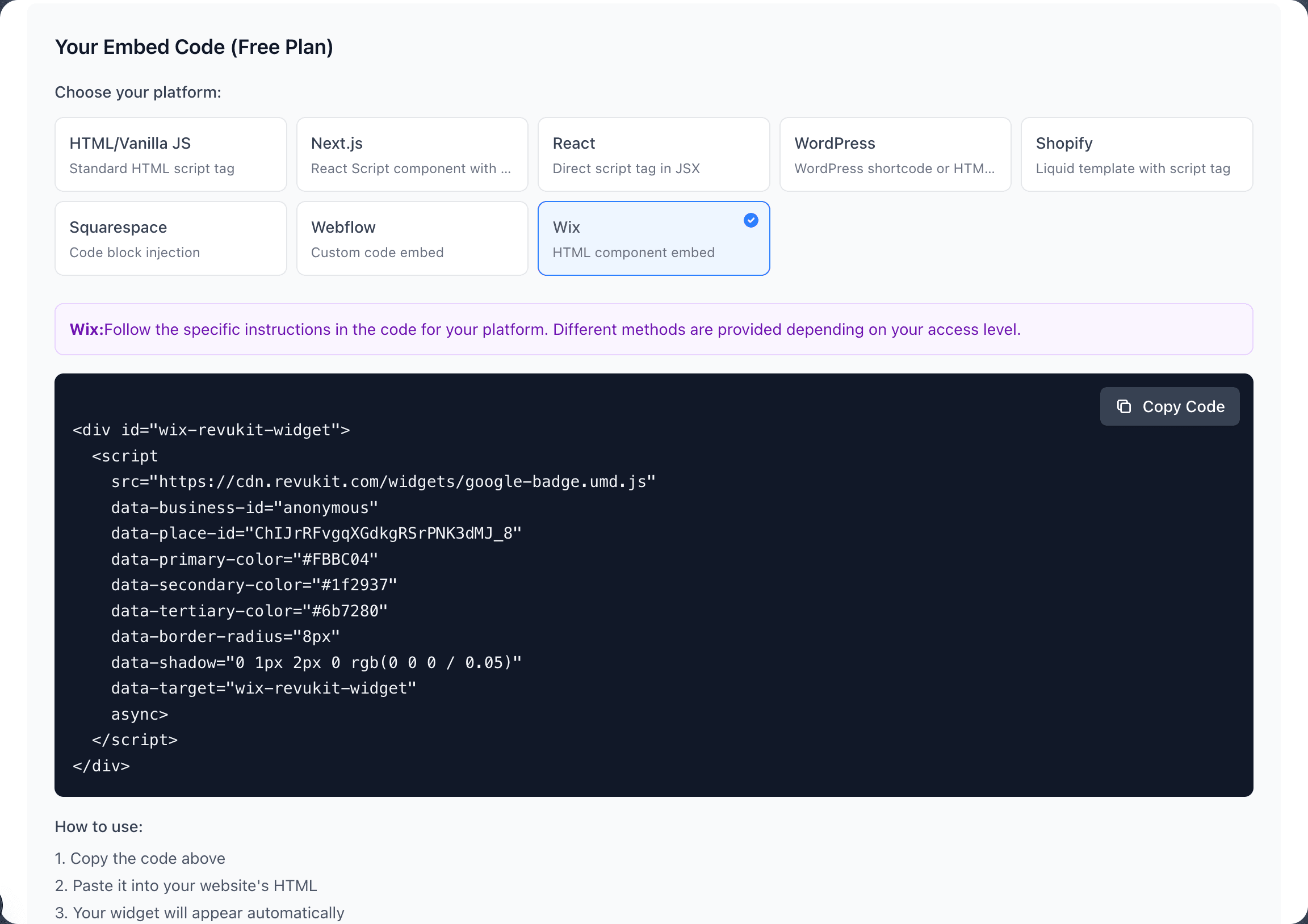
<div> wrapper and <script> tag)Your code will look something like this:
<div id="wix-revukit-widget">
  <script
    src="https://cdn.revukit.com/widgets/google-stars-top.umd.js"
    data-business-id="your-business-id"
    data-place-id="ChIJx4lnRTgZDTkRJjDnN6pXp0U"
    data-primary-color="#FBBC04"
    data-secondary-color="#1f2937"
    data-tertiary-color="#6b7280"
    data-border-radius="8px"
    data-shadow="0 1px 2px 0 rgb(0 0 0 / 0.05)"
    data-target="wix-revukit-widget"
    async>
  </script>
</div>Now add the widget to your Wix page:
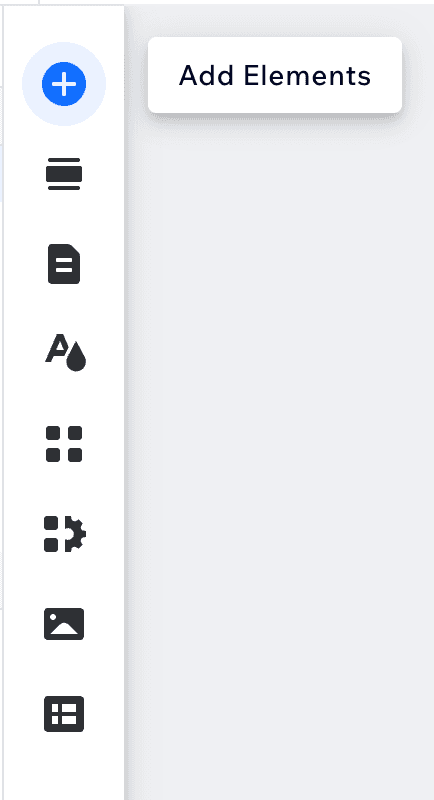
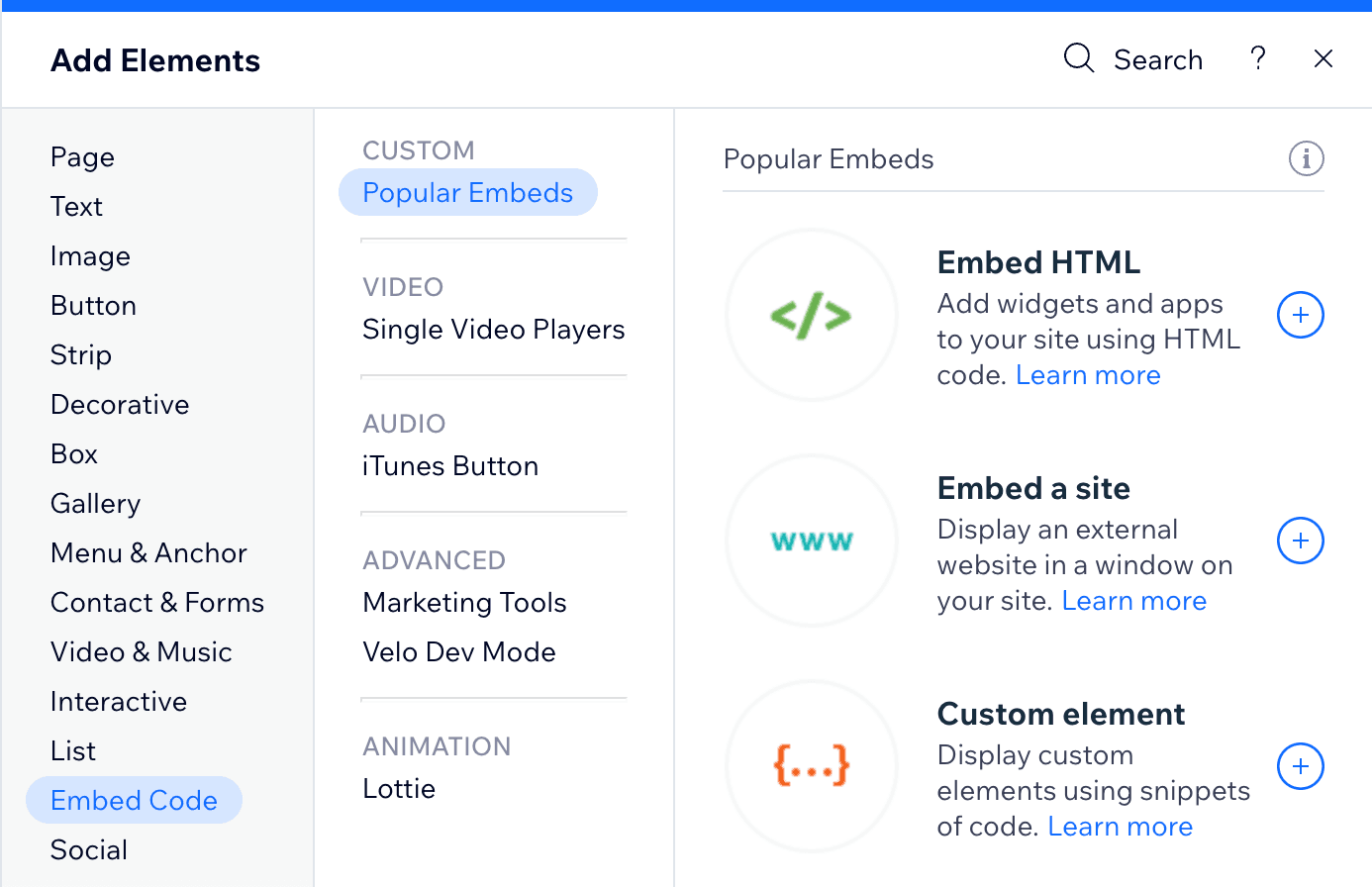
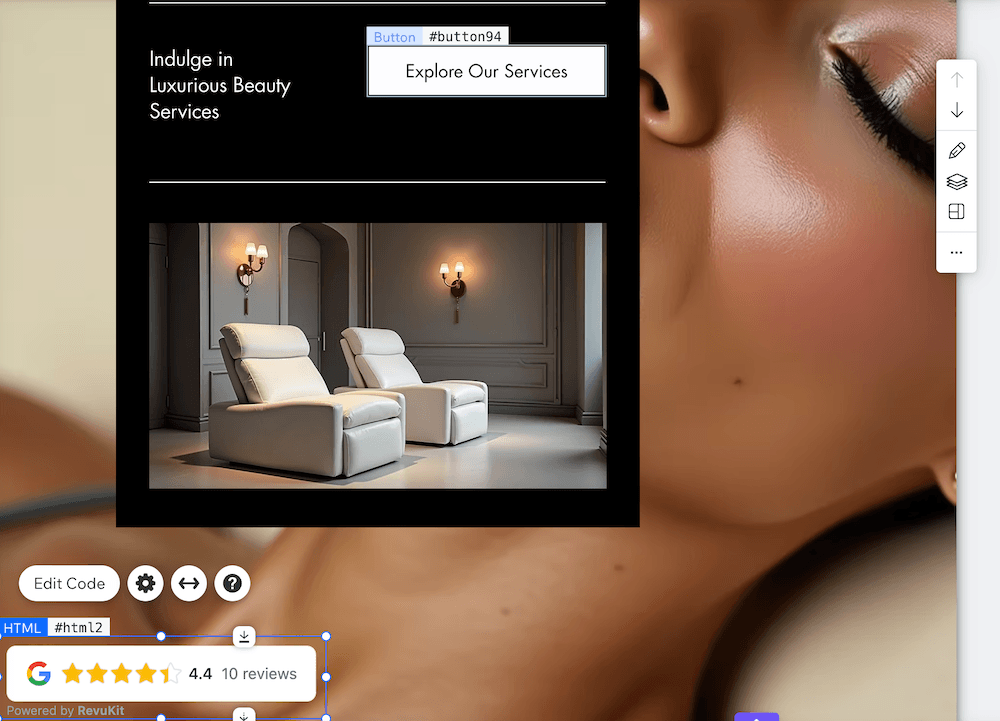
Test your Google reviews widget before going live:
Sometimes. Some Wix free setups allow limited HTML embeds, but support can vary by editor and account restrictions. If you want a reliable production setup, or to show reviews in your footer/across all pages, use Wix Premium.
You can launch a widget quickly from Open the Wix widget builder and return here for the Wix placement steps.
Use this method if you want to display Google reviews on every page of your Wix site (for example, in your header or footer).
Requirements:
Note: Custom Code widgets aren't visible in the Wix Editor preview. You must publish your site and view it live to see the reviews.
Where you place your Google reviews widget significantly impacts conversion rates. The best way to show Google reviews on Wix is to display them strategically across multiple high-traffic pages. Here are the most effective locations:
Make your Google reviews widget blend seamlessly with your Wix design:
Color Matching:
Border and Shadow:
Layout Considerations:
If your Google reviews aren't displaying correctly on Wix, try these solutions:
Widget Not Showing:
<div> and <script> tags)Styling Issues:
Mobile Display Problems:
Performance and Speed:
The embedding process varies slightly depending on which Wix platform you're using:
Wix Editor (Classic):
Wix Studio (Advanced):
Wix ADI (Artificial Design Intelligence):
Yes, displaying Google reviews on your Wix website can significantly boost your SEO performance in several ways:
Adding Google reviews to your Wix site is one of the most effective SEO improvements you can make, especially for local businesses competing in geographic search results. For setup paths beyond Wix, see the complete Google review widget guide.
Do I need a paid Wix plan to embed Google reviews?
For consistent results, yes. Some free Wix setups allow limited embeds, but reliable placement and site-wide Custom Code typically require Wix Premium with a connected domain.
Will embedding reviews slow down my Wix site?
No. RevuKit widgets load asynchronously and won't impact your page load speed. The code is optimized and served from a fast CDN.
How often do reviews update?
RevuKit Pro and Enterprise plans automatically sync with your Google Business Profile every 24 hours. New reviews appear on your Wix site without any manual updates needed.
Can I customize which reviews are shown?
RevuKit displays your most recent Google reviews by default. You can configure filters and display settings in your RevuKit dashboard to show specific ratings or review counts.
Is this method compliant with Google's terms of service?
Yes. RevuKit uses Google's official APIs and follows all display guidelines. Reviews are shown exactly as they appear on Google with proper attribution and linking.
Can I add multiple review widgets to different pages?
Absolutely. You can create different widget styles for different pages (e.g., a badge on your homepage, a detailed grid on your about page) and embed each separately using Method 1.
To get the most benefit from your Google reviews on Wix:
You now know exactly how to embed Google reviews on Wix using two proven methods. The Embed HTML approach takes less than 5 minutes on Wix setups that support custom embeds, and Wix Premium gives the most reliable production setup.
Whether you want to add Google reviews to your Wix site homepage, display reviews in your footer, or integrate them across multiple pages, both methods give you complete flexibility. The best Wix plugin for Google reviews is one that automatically matches your site's design—no manual styling required.
Start by designing your widget to match your Wix site's aesthetic, then follow the step-by-step instructions above. Your Google reviews will be live and building trust within minutes.
Related Articles
July 2, 2026
Add Google reviews to your website with a free Google review widget, platform setup paths, placement tips, and SEO-safe implementation guidance.
January 16, 2025
Learn how to add Google reviews to your Webflow website in under 5 minutes. Step-by-step guide for beautiful review widgets that match your Webflow design.
February 26, 2026
Learn how to add Google reviews to your Shopify store in under 10 minutes. Updated 2026 guide with theme customization, placement tips, and SEO best practices for e-commerce.